


YouCam Makeup: Face Editor
4.090.77K Reviews
App Specs
- Version
- Varies with Device
- Updated On
- License
- Free
- Downloads
- 100,000,000+
- Developer
- Perfect Mobile Corp.
- Categories
- Photography
- Platform
- Android, iOS
Screenshots
 Analysis by AppCompare
If you’re like me and love snapping selfies but wish they were a bit more polished, you’ve probably heard of YouCam Makeup - Selfie Editor. This app is like having a virtual makeup artist right in your pocket, and it's all about transforming your selfies into stunning portraits. Let’s dive into what makes this app a go-to choice for selfie enthusiasts.
What the free download means in practice
I’d start by treating this as a free app to explore, not as a promise that every tool or look will be available without payment. YouCam Makeup is free to download, while optional in-app purchases range from $0.69 to $119.99 per item. That is a wide span, so I would check the price attached to a specific option before buying rather than assume every paid item costs about the same.
The useful question is not whether there are purchases, but whether you need one for your own routine. If you only want to test a few looks or make occasional edits, I’d spend time with the free access first and see where it gets you. If a locked item is the exact reason you installed the app, decide whether that particular purchase is worth it before building a workflow around it. I wouldn’t pay simply because an upgrade prompt appears while I’m experimenting.
Who is likely to get the most from it
This is most appealing to people who enjoy trying beauty looks on a photo or through the camera without first buying products or changing their real makeup. It can also help when you’re choosing between two styles for an event: preview both on the same face, in similar lighting, and compare the overall effect instead of relying on a product swatch or a guess. That makes it a playful visual aid, not a substitute for testing cosmetics on your skin.
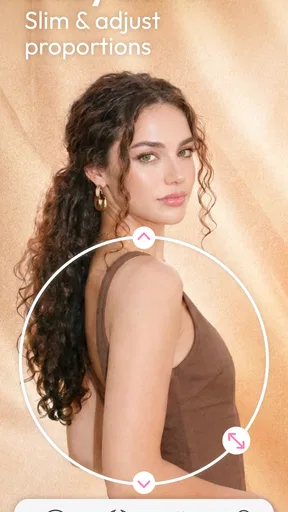
I’d also recommend it to anyone who wants a focused selfie editor rather than a general photo suite. Its appeal is the combination of virtual makeup, appearance adjustments, hair experiments, and body tuning, as reflected in the app’s photography focus. Perfect Mobile Corp. has built a recognizable beauty-editing tool: the app has a 4.1 average from around 4.1 million ratings and more than 100 million installs. Those figures suggest broad use, though they can’t tell you whether its editing style will match your taste.
A practical way to try a look
For a more useful comparison, I’d choose a well-lit selfie with a fairly neutral expression, then test one change at a time. Try a lip shade first, save or remember the result, and only then add eye makeup or complexion adjustments. If you change several things at once, it becomes difficult to tell which choice made the portrait feel better. This simple before-and-after approach is especially helpful when you’re deciding whether a bolder look suits you or just looks striking on screen.
For a quick everyday example, imagine getting ready for a family gathering and being unsure whether a bright lipstick will work with your outfit. You can preview a few shades before leaving, then use the result as inspiration when applying your real makeup. I’d keep the lighting in mind: a shade that looks balanced in one room may read differently outdoors, so I wouldn’t treat the screen preview as a perfect color match.
Worth Reading Before You Choose

EA SPORTS FC Mobile 26 Is a Bigger Football Game, but It Takes Time

Flipboard Shows What News Apps Must Do Beyond the Feed

Switching to Android Auto Means Rethinking Your Driving Routine

Google Calendar Makes a Crowded Week Easier to Manage

Ludo King Makes the Most of the Minutes Between Plans

Baby Panda World Brings Quick Play to Modern Phones, but Its Game Library Feels Busy
Where a specialist editor differs from a basic camera
Compared with the filters built into a typical camera or social app, YouCam Makeup is more useful when you want to adjust a specific beauty detail rather than apply one overall effect. A general filter can be faster for a uniform mood or color treatment; this app makes more sense when the point is to try makeup combinations, alter hair color, or refine a portrait. For broad image work—such as organizing a collection, editing landscapes, or making detailed adjustments across an entire photo—I’d reach for a general photo editor instead.
That focus is also a limitation. The more you reshape or smooth, the easier it is to move away from a natural-looking result. I’d make small changes, step back from the screen, and compare the edited portrait with the original before sharing. If your goal is faithful documentation rather than a beauty-enhanced selfie, a standard camera image or a light-touch editor is the better choice.
The Magic Behind the Makeover
YouCam Makeup is not just another photo editing app. It’s driven by some seriously advanced tech that lets you apply makeup virtually with just a few taps. Imagine trying on different lipstick shades or experimenting with eye shadows without the mess. The app uses augmented reality to give you a real-time makeover experience, and I have to say, it’s pretty impressive.
When you first open the app, you’re greeted with a user-friendly interface. Even if you’re not tech-savvy, you’ll find it easy to navigate. There are tons of features to explore, but the main attraction is the real-time makeup application. You can try out different looks and see them come to life on your screen. It’s like a dress rehearsal for your face!
Features That Stand Out
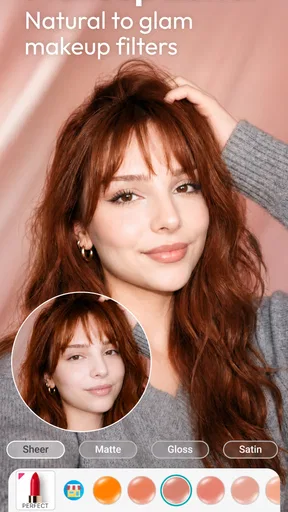
One of the standout features is the live makeup camera. This tool lets you apply makeup as you look at your camera, almost like trying on a new outfit in front of a mirror. The precision is spot-on, and it even tracks your face as you move. Whether you’re going for a bold look or something more natural, the app has you covered.
Another cool feature is the skin analysis tool. This feature examines your skin and gives you personalized tips to enhance your complexion. It’s like having a dermatologist on speed dial, helping you understand your skin better and suggesting ways to care for it.
Getting Creative with Your Looks
What I love about YouCam Makeup is how creative you can get. The app includes a wide range of makeup styles, from everyday looks to extravagant party styles. You can mix and match different elements, like lipstick, blush, and eyeliner, to create a look that’s uniquely yours. The variety is endless, and experimenting is half the fun!
If you’re someone who likes to stay on top of trends, you’ll appreciate the app’s seasonal and celebrity-inspired makeup looks. These templates make it easy to replicate the latest beauty trends without breaking the bank on new products.
Beyond Makeup: Enhancing Your Photos
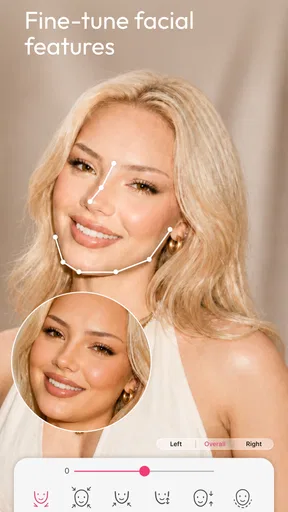
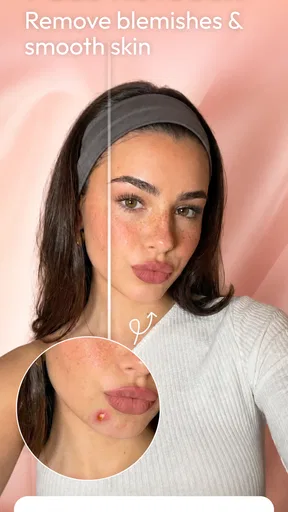
YouCam Makeup isn’t just about makeup. It also offers powerful photo editing tools. You can adjust your skin tone, smooth out blemishes, and even reshape facial features with the face shaper tool. It’s like having Photoshop skills without the steep learning curve.
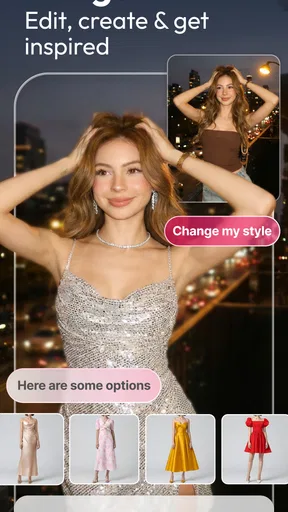
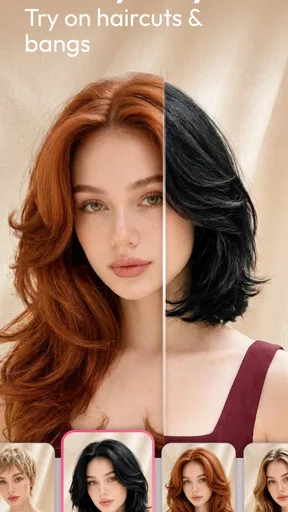
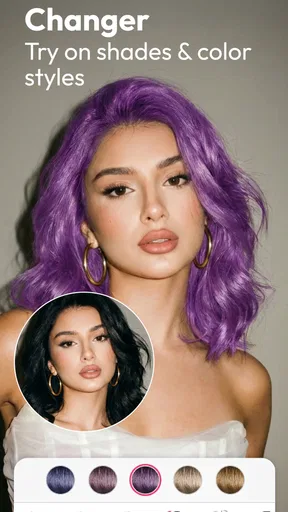
The app also includes fun elements like accessories and hair color changes. If you’ve ever wondered how you’d look with a new hairstyle or a bold hair color, now’s your chance to find out. These features add an extra layer of fun and creativity to your photo editing process.
Editing with a lighter hand
My best practical tip is to use the original photo as a reference throughout the edit. A small blemish correction or subtle skin adjustment can keep attention on the expression without making the face look airbrushed. Facial reshaping is more subjective: even a modest change can alter the character of a portrait, so I’d use it only when that effect is intentional. For an image you want friends to recognize immediately, preserving your natural proportions usually works better than chasing a perfectly symmetrical result.
Hair-color previews are most useful as a way to narrow down ideas, not as a reliable prediction of a salon result. The source photo’s lighting and existing hair color affect how a virtual shade reads. I’d compare a couple of options in the same picture and use them to decide whether you prefer a warmer or cooler direction, then ask a stylist or test a real color product before making a lasting change.
Sharing without losing control of the image
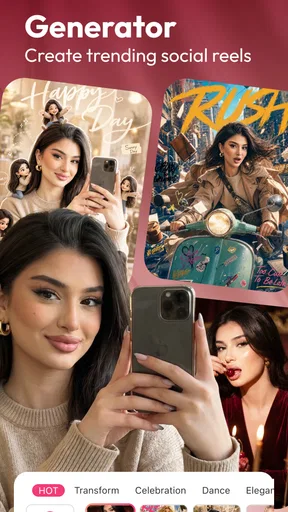
Once you’ve perfected your look, sharing it with the world is a breeze. The app integrates seamlessly with social media platforms, so you can post your new selfies on Instagram, Facebook, or wherever you like to hang out online. The app even provides hashtags to boost your post’s visibility. Talk about social media ready!
Now, for those who love a bit of community interaction, YouCam Makeup offers a social platform where users can share their looks and get feedback. It’s a great way to connect with other beauty enthusiasts and get inspired by their creativity.
Even so, I’d review the final image before sending it anywhere. Check the crop, make sure the effect still looks convincing at normal viewing size, and decide whether the social post needs the same level of retouching as a playful experiment. You can also keep the app’s creative side separate from personal photos you would rather not share. That small pause matters because a fun preview and a public portrait serve different purposes.
Age, audience, and expectations
The app is rated for Everyone, which makes it broadly accessible, but I’d still use judgment around edited images and social sharing, especially for younger users. Its beauty tools are best approached as creative play rather than a standard people need to meet. If someone finds face-smoothing or reshaping makes them more critical of their appearance, it may be healthier to skip those tools or use a basic camera instead.
It has been available since August 7, 2014, and that long-running presence helps explain why it is familiar to so many selfie editors. I would not take popularity as proof that every feature is essential, though. A large audience can make it easier to find inspiration, while the right choice still depends on whether you enjoy editing your appearance at all.
Final Thoughts
In a world where selfies are a staple of social media, YouCam Makeup - Selfie Editor is a game-changer. It’s fun, easy to use, and packed with features that cater to both makeup novices and beauty gurus. Whether you’re looking to enhance your natural beauty or try out a dramatic new look, this app has something for everyone.
So, if you’re ready to take your selfies to the next level, give YouCam Makeup a try. It’s like having a personal glam squad at your fingertips, and who wouldn’t want that?
My buy-or-skip verdict
I’d try it if virtual makeup is the part of selfie editing you actually enjoy: the free entry point gives you room to explore before deciding whether any paid item matters to you. The app is a photography tool from Perfect Mobile Corp., and its long-standing audience gives it a strong case as a mainstream option, but no popularity figure can guarantee that its effects will suit your face, taste, or editing habits.
I’d skip it if you mainly want precise, natural photo correction, a general-purpose editor, or a simple camera with no beauty effects. Those alternatives are less distracting for careful image work and can be a better fit when authenticity is the priority. For playful previews, makeup experiments, and occasional polished selfies, though, this is an easy app to test; I’d start with the free features, keep edits restrained, and spend only when a specific paid option has already proved useful to me.
Pros
- User-friendly interface makes editing easy.
- Wide range of makeup styles and effects.
- Real-time makeover with AR technology.
- Regular updates with new features.
- Social sharing options are seamless.
Cons
- Some features require in-app purchases.
- Can be resource-intensive on older devices.
- Limited offline functionality.
- Occasional ads disrupt the experience.
- May require frequent updates to fix bugs.
FAQs for YouCam Makeup: Face Editor
What features does YouCam Makeup offer for enhancing selfies?
YouCam Makeup provides a wide range of features designed to enhance your selfies. These include virtual makeup tools like lipstick and eyeshadow, skin smoothing, face reshaping, and even hair color changes. The app also offers real-time beautification tools, so you can see the effects as you take your photo.
Is YouCam Makeup free to use, or are there in-app purchases?
YouCam Makeup is free to download and offers a variety of features at no cost. However, it also includes in-app purchases and subscriptions that provide access to premium features, exclusive content, and an ad-free experience. Users can choose to upgrade if they want more advanced tools and options.
Can YouCam Makeup be used for live video streaming?
Yes, YouCam Makeup offers a live video streaming feature where users can apply virtual makeup and effects in real-time. This is particularly useful for video calls or live streaming on social media platforms, allowing you to look your best with minimal effort.
How accurate are the virtual makeup tools in YouCam Makeup?
The virtual makeup tools in YouCam Makeup are highly accurate, thanks to advanced facial recognition technology. The app precisely maps your facial features to apply makeup naturally and realistically, ensuring the final result looks both flattering and believable.
Does YouCam Makeup require an internet connection to function?
While YouCam Makeup can be used offline for basic photo editing, an internet connection is necessary for accessing certain features. These include downloading new makeup looks, accessing cloud-based content, and utilizing community features where users can share their creations and get inspired by others.


